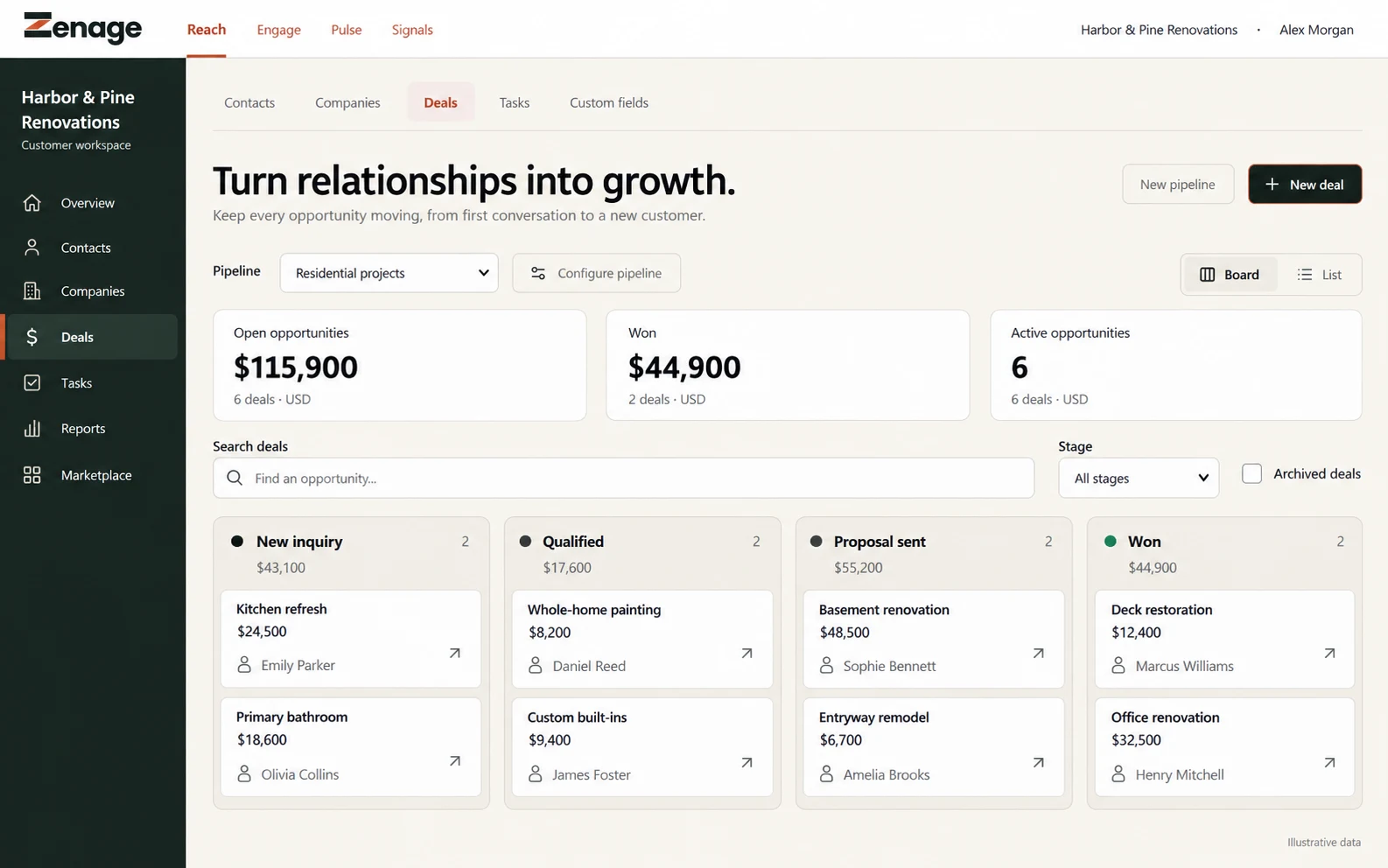
Set up your pipeline and team, then import or add contacts. Email and calendar connections require your permission. Paid enrichment is separate.
CRM records, pipeline changes, tasks and import recovery were exercised with a fictional business. External enrichment and mail sending have their own setup and usage limits.
A lead arrivesIt lands in Reach with its source and the original message.
Discovery and enrichment are licensed additions. People review uncertain matches before anything is applied.
A closer look
Keep the next customer step visible.
Contacts and companies kept together
Pipelines with the stages you define
Tasks and reminders on every record
PipelineSample data
New
Emily ParkerKitchen renovation · from a call
Marcus WilliamsDeck repair
Qualified
Sophie BennettBathroom refit
Emily ParkerConsultation booked
Proposal
Daniel ReedHome extension
Owner: Alex MorganTask: call back FridayNext step set
What it does
Built for the work after someone raises a hand.
Lead intakeBring interest into viewCollect enquiries with their source, then review what was supplied before work begins.
Customer workspaceKnow who you are working withCustomer, company and contact context stay together, so conversations do not reset.
Pipeline and follow-upMake the next step visibleOpportunities, pipelines, tasks and reminders move work toward an outcome.
Licensed additionAdd context with reviewEnrichment can suggest business details. Your team approves what is kept.
Getting set up
Four steps to a working CRM.
1Invite your teamAdd the people who follow up and set their roles.
2Bring in your contactsImport a list or add contacts as they arrive.
3Shape your pipelineName the stages and custom fields that match how you sell.
4Save your viewsGive each person a view of the work they own.
Works on its ownReach is a complete CRM without any other Zenage product.
Connects when you chooseWith Engage, save a reviewed caller as a contact. With Signals, report on where leads come from. With Dispatch, link customers to their jobs.See example workflows
Tools and connections
The tools around Reach.
Gmail + OutlookBring permitted email conversations into customer work.Setup required
MailchimpSend reviewed lead lists to your own Mailchimp account.Setup required
QuickBooks Online, Xero + SageAccounting connections for approved estimates and invoices.Planned
RoofScope + HailTraceMeasurement and storm context for roofing teams.Proposed
Connection status depends on product access, account setup and provider permission. A listing is not a promise of a live connection.